



The Skrill registration process is simple. With our comprehensive Skrill registration guide, you can create a fully functional new account or add a second currency in just a few minutes.
Simply follow our instructions to set up your new Skrill account and start earning exclusive Skrill Cashback through our program.
Skrill Registration Guide
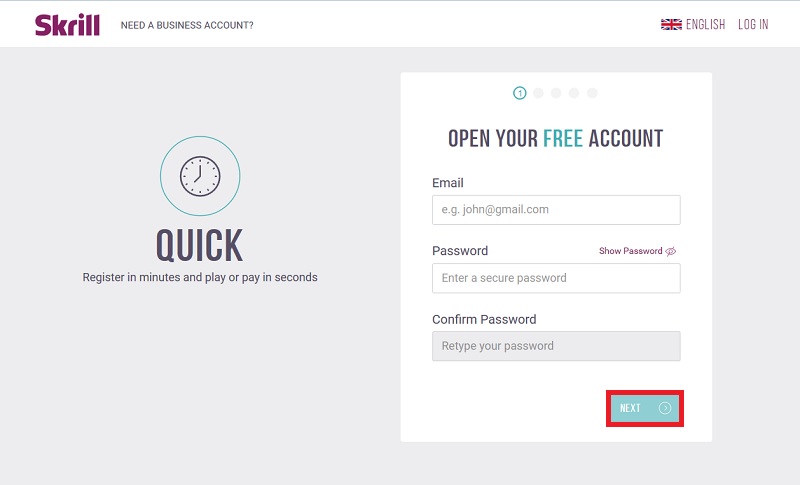
- Sign up for your new Skrill account using our special Skrill Cashback Link to ensure your benefits are tracked correctly.
- Choose your country of residence and select your preferred account currency.
Note: Make sure to select the currency you will use most frequently for merchant transfers or your Skrill Mastercard to avoid unnecessary exchange fees. - Your new Skrill account will be created instantly and is ready for initial use.
- To remove all transaction limits, start the verification process. Log in and upload your documents directly within the dashboard. You will need a high-quality copy of your passport or ID (both sides, all four corners visible) and a live selfie via webcam or the mobile app. Additionally, you must provide a document for address verification, such as a recent utility bill.
Register an Additional Currency Account
As a Skrill Silver VIP or higher, you are eligible to register additional currency accounts.
Silver VIPs can hold two currency accounts simultaneously, Gold VIPs can hold three, and Diamond VIPs are allowed up to four separate currency accounts.
Please ensure you meet these VIP requirements before proceeding with an additional registration. Otherwise, the new account may be automatically suspended by the system.
- Initiate the signup for your additional Skrill account.
- Enter your details and select your new preferred currency. Since every Skrill account must be linked to a unique email address, please use a different email than the one for your primary account. If requested, you may enter a slightly different phone number (e.g., change the last digit), which can be corrected manually by support later.
- Important: The Skrill system will likely freeze the new account automatically as a security measure. To unlock it, simply email [email protected] and request the activation of your second currency account. The Skrill VIP team will then transfer your verification and VIP status to the new account within one business day.
- Once your accounts are linked, you can order a new Skrill Mastercard for your secondary account free of charge.
- Ensure you maintain the required transfer volumes to keep your Skrill VIP status active across all accounts.
Skrill Registration – Switching Account Currency
If you need to change your primary account currency, follow the instructions below. By following these steps correctly, you will not need to go through the full verification process again from scratch.
-
- Log into your existing Skrill account. Withdraw or transfer any remaining funds to a friend so the balance is exactly zero.
- Navigate to “Account Settings” and click “Close” in the lower right corner to deactivate your current account.
- Sign up for your new Skrill account. Select your new preferred currency and use a different email address and phone number for the initial setup. Our support team can assist in updating these details later.
- Your new account is now created and ready for setup.
- Note that you will need to re-upload your verification documents to the new account. Ensure that your ID/Passport copies show all four corners and that your address verification document is up to date.
Once the process is complete, you can use your new currency account just like your previous one. To reuse your original email address, ask Skrill support to delete it from the closed account so you can add it to the new one under:
Settings → Personal Info → Email Addresses
In most cases, this allows you to enjoy your new currency setup with significantly lower exchange fees. If you encounter issues with bank accounts that were linked to your old account, contact the support team at [email protected] for manual assistance.
If you have any questions or encounter issues during your Skrill registration, please do not hesitate to contact us .
We are here to help you every step of the way.